
Self-Login Implementation
Create a custom login page under your own domain using Beag.io API Login Mode.
Follow this guide to create a login page under your domain name.
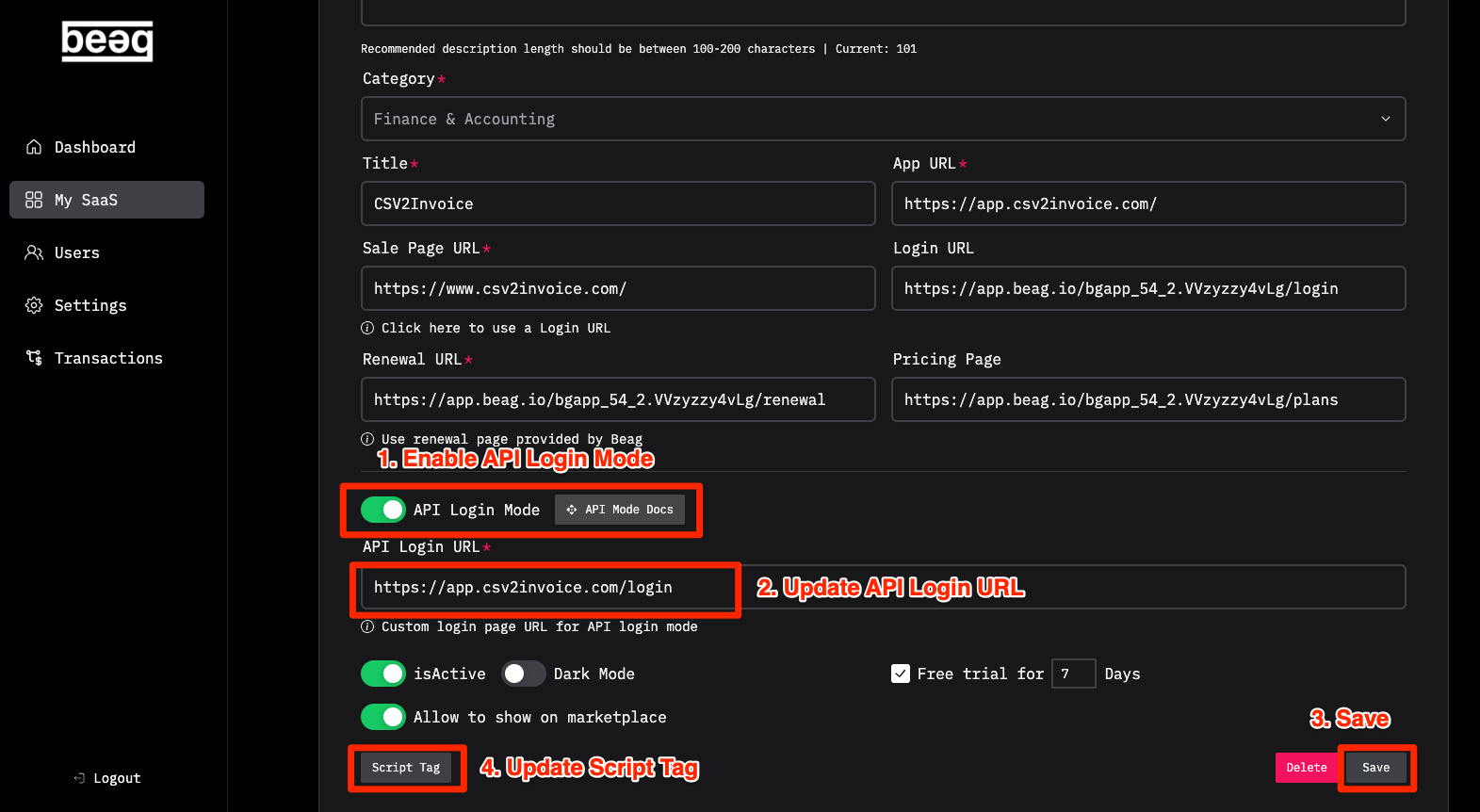
Enable API Login Mode
- Go to your SaaS page and Enable API Login Mode.
- Update the API Login URL you want to use.
- Save the settings.
- Update the Script Tag in your SaaS.
Get the API Mode Docs
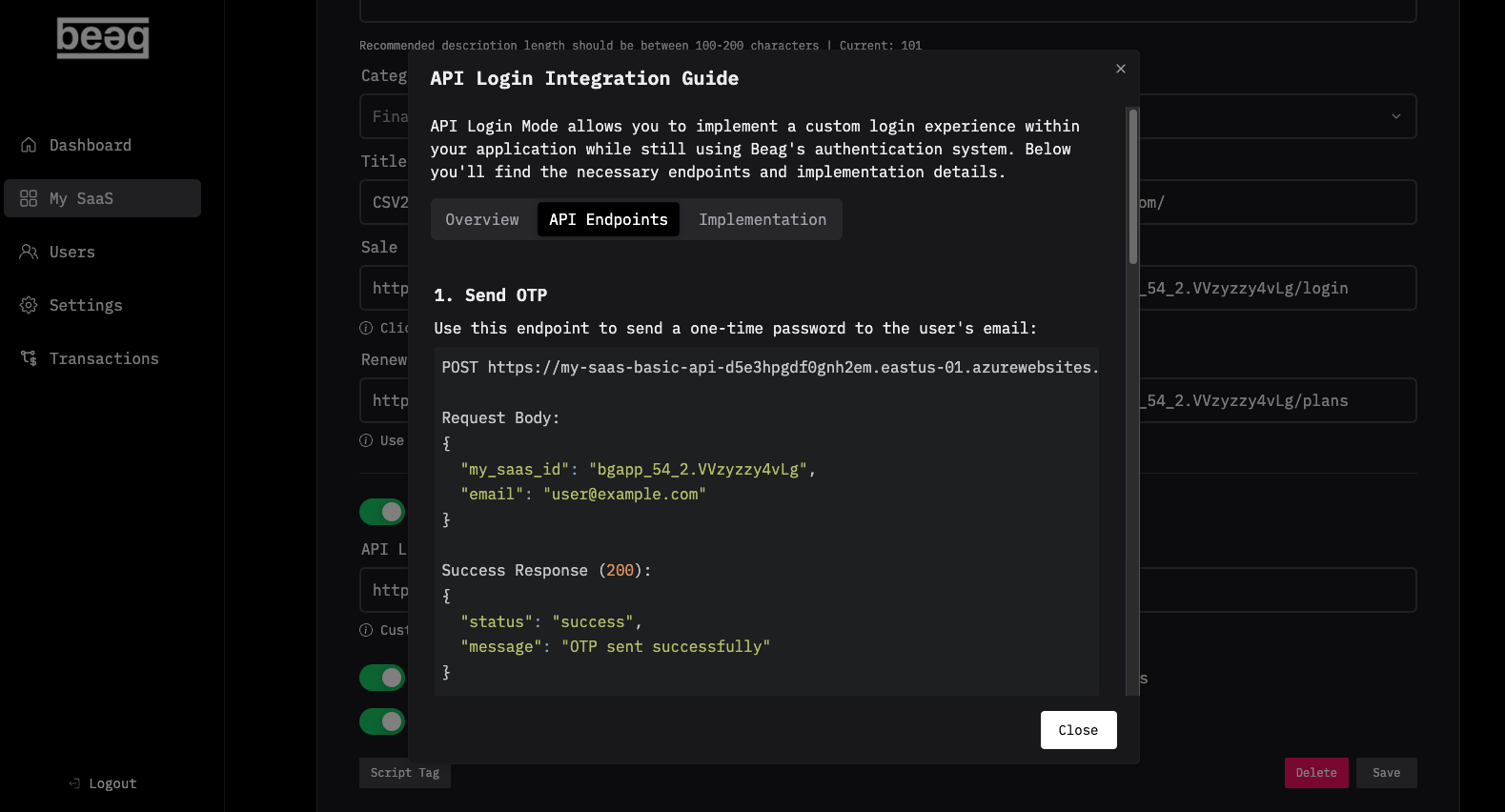
- Click the “API Mode Docs” button.
- Create a “Login API Endpoint” NotePad in Cursor.
- Go to tab “API Endpoints” in API Mode Docs.
- Copy everything and paste it to this NotePad.
- Create a “Login API Implementation” NotePad in Cursor.
- Go to tab “Implementation” in API Mode Docs.
- Copy everything from “JavaScript Implementation” and paste it to this NotePad.
- Update the URL in the line
window.location.href = 'https://your-app-url.com/app';to your app URL.
Run the Prompt in Cursor
Use this prompt to create your login page:
Create the /login page using the style in the @globals.css to make it match the theme of the app, center the login form at the center of the screen, and follow the instruction here [ @Login API Endpoint ] and here [ @Login API Implementation ] — make sure to use the JavaScript in the instructions. Use the same layout.tsx don’t create the new one.
Update the prompt according to your own needs.